
To get the most out of our Digital Library and its tools.
For regular users and administrator users.
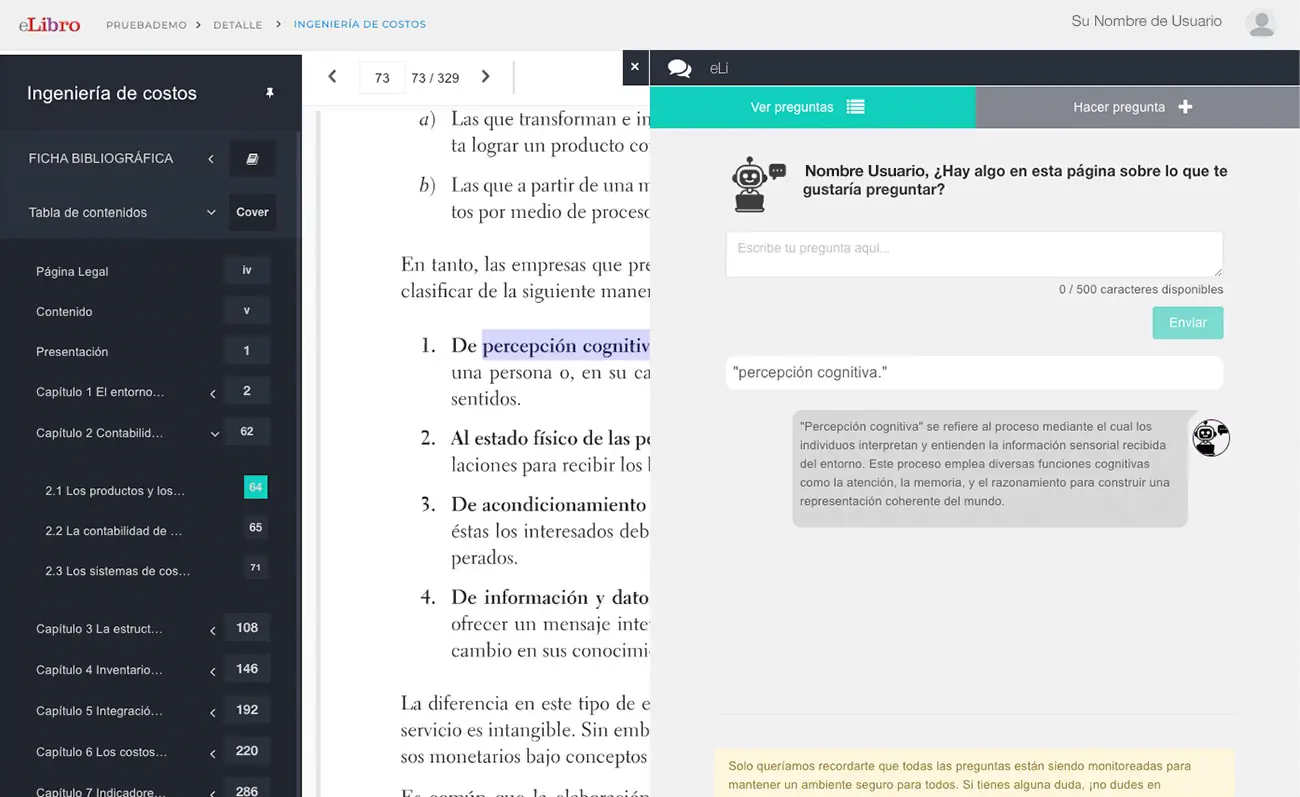
1. Make the Most of eLi, the Artificial Intelligence Tool
eLi is an innovative feature that allows users to make direct queries about the content of the book they are reading. By selecting a word or phrase, you can ask eLi to explain concepts, summarize sections or clarify specific doubts. eLi's responses are based on models such as OpenAI's GPT4 and, collaboratively, are stored in the book and accessible to other users, fostering shared learning. Remember to formulate your questions in detail and focus them on the subject matter to obtain more precise answers.
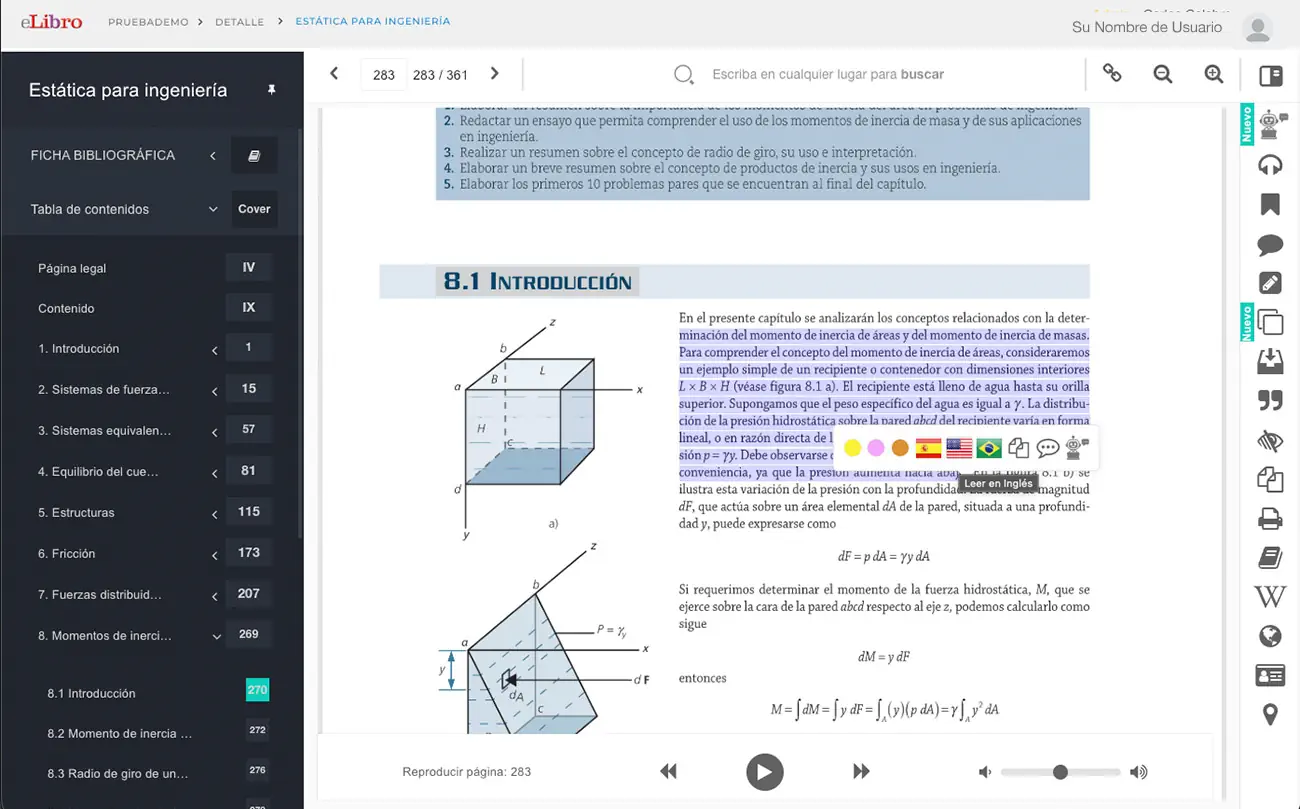
2. Use the Multi-language Reader and Integrated Translator:
This tool is invaluable for multilingual comprehension and accessibility. You can select a text fragment and listen to it read in Spanish, English or Portuguese. Additionally, the translation function allows you to translate terms, phrases and even paragraphs into multiple languages, including native South American languages such as Guarani and Quechua, which is very useful for international students or for language study.
3. Activate the Dyslexic Font for Inclusive Reading
With accessibility and social inclusion in mind, eLibro allows you to activate a special font mode designed for people with dyslexia. This option is found in personal profile settings and is essential to ensure that all students can interact with study materials comfortably and effectively, eliminating reading barriers.
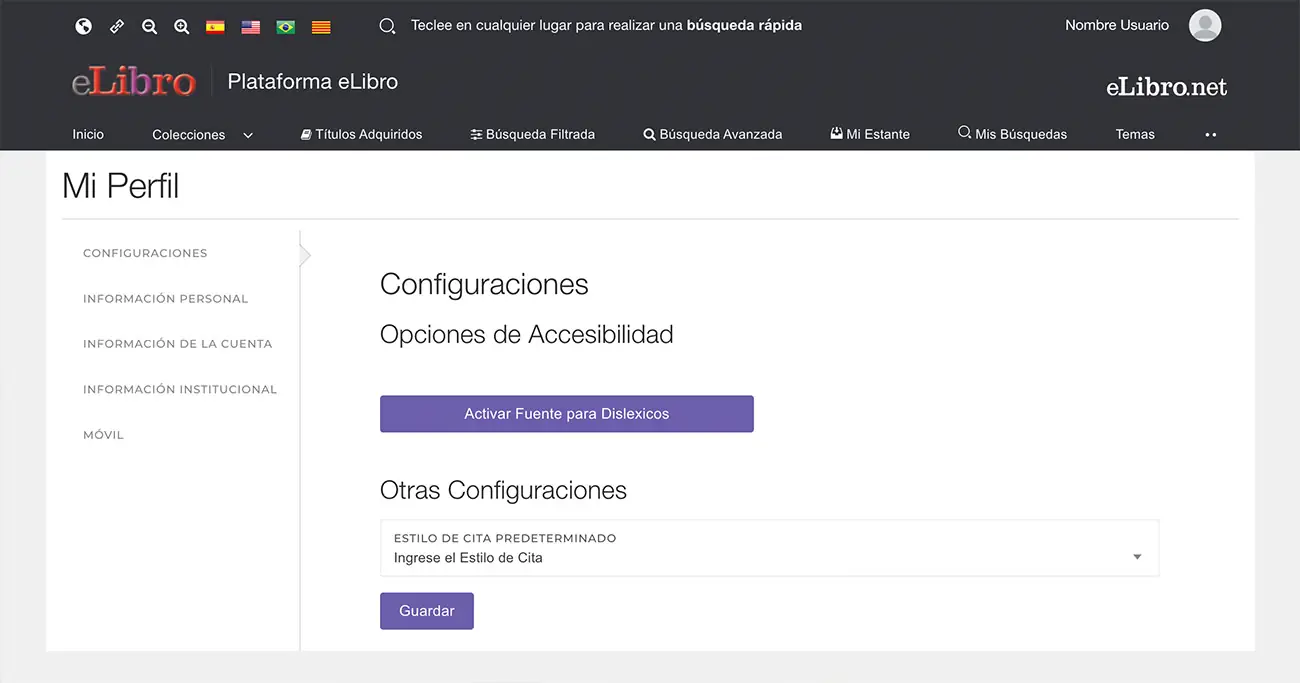
4. Benefit from Offline Downloads with Unlimited Renewal
Users can download complete titles on their mobile devices, laptops or PCs through the eLibro application to read without an internet connection. Although the initial loan is for 30 days, a key feature is that books have unlimited loan renewal, allowing users to access study material continuously, whenever they need it, by simply repeating the download operation.
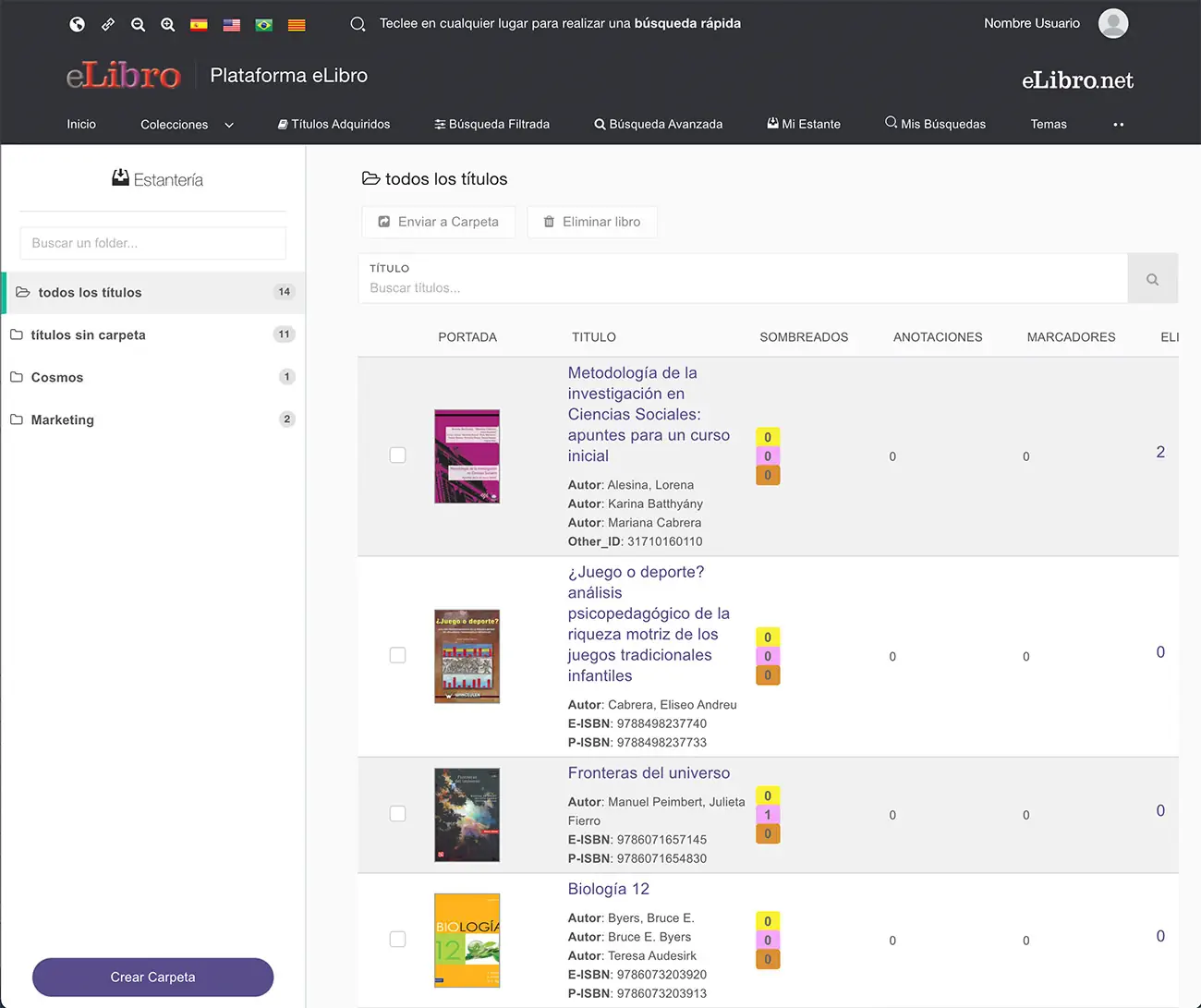
5. Manage "My Bookshelf" and Share Folders with Specific Content
Each user has a personal "My Bookshelf" with no storage limits to save and organize documents in subfolders. A highly beneficial feature for teachers is the ability to share folders. This means professors can create collections of specific books for a class, add their own notes, highlights, bookmarks and eLi queries, and then share the folder link with their students. This way, the entire class can directly access the content curated and annotated by the teacher, optimizing collaborative study.
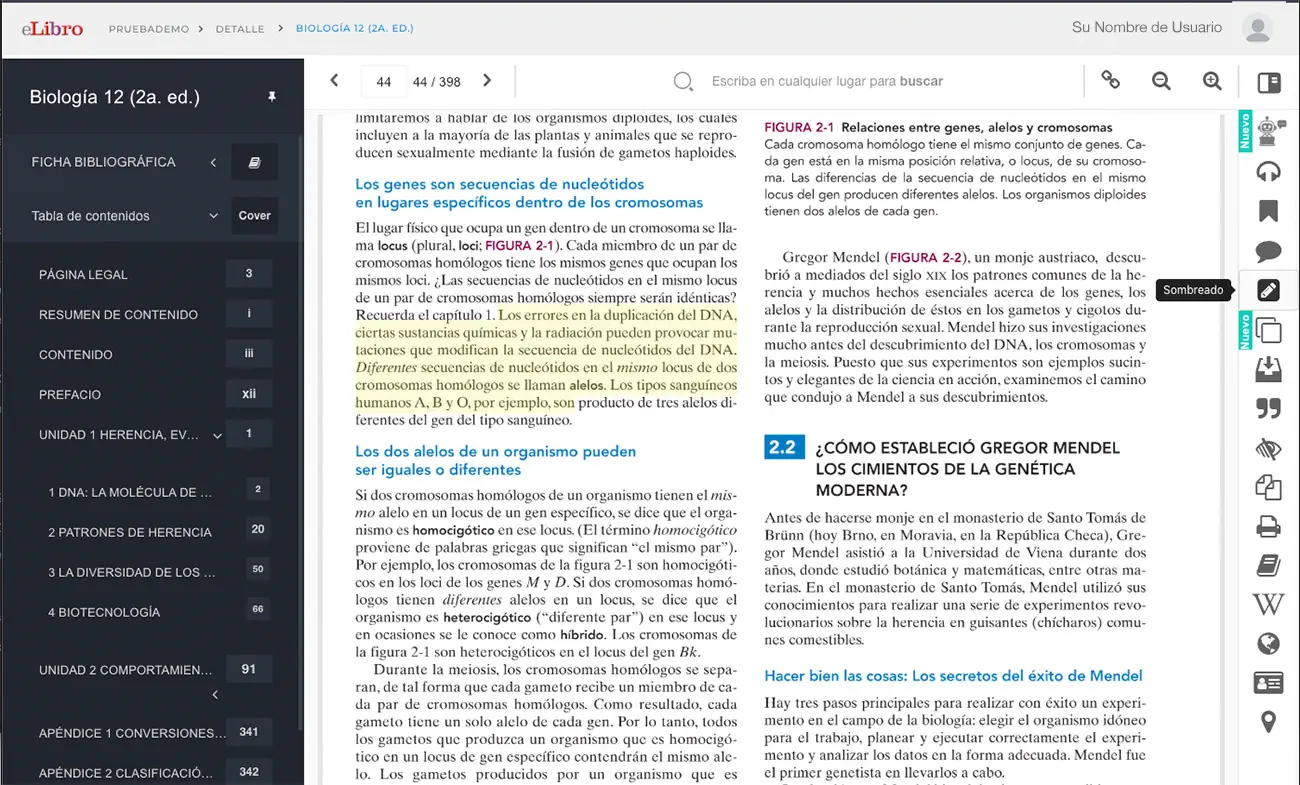
6. Make the Most of Interactive Study Tools
During online reading, eLibro offers a robust set of tools to interact with the text. You can add bookmarks, write notes and highlight content with different colors (yellow, pink, orange). Additionally, "Summary Mode" allows you to view only the highlighted text, organized by color, which is ideal for reviewing and consolidating key ideas efficiently. All this work is associated with your account and saved securely.
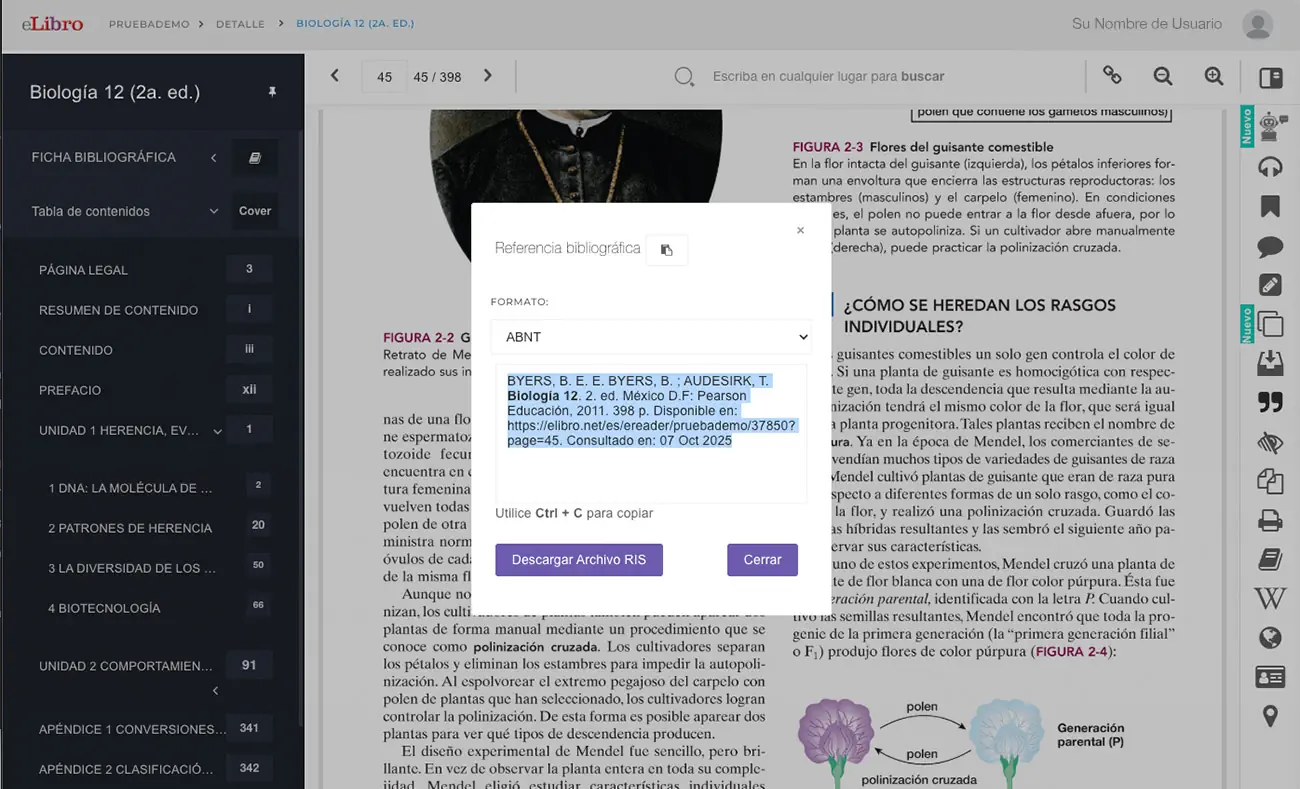
7. Copy and Cite Easily with the Automatic Bibliographic Reference
This is a powerful tool for academic integrity. When copying text directly from the platform, eLibro automatically adds the bibliographic reference of the source document. This not only greatly simplifies the citation process for students in their work, but also encourages respect for copyright. Additionally, the "Bibliographic Reference" tool allows you to generate citations in nine different formats (such as APA, Vancouver, etc.) for greater academic flexibility.
8. Master Advanced and Boolean Searches for Precise Results
Beyond quick searches, the platform has filtered and advanced search options that are essential for deep research. To refine or expand your results, you can use boolean operators such as "AND" (to narrow results by searching all terms), "OR" (to expand by searching any of the terms) and quotes (to find exact phrases within the title). You can also apply filters by document type, author, publisher, publication year or thematic area to find exactly what you need in the vast catalog.
9. Use the Page Reader (Audio) for Auditory Learning
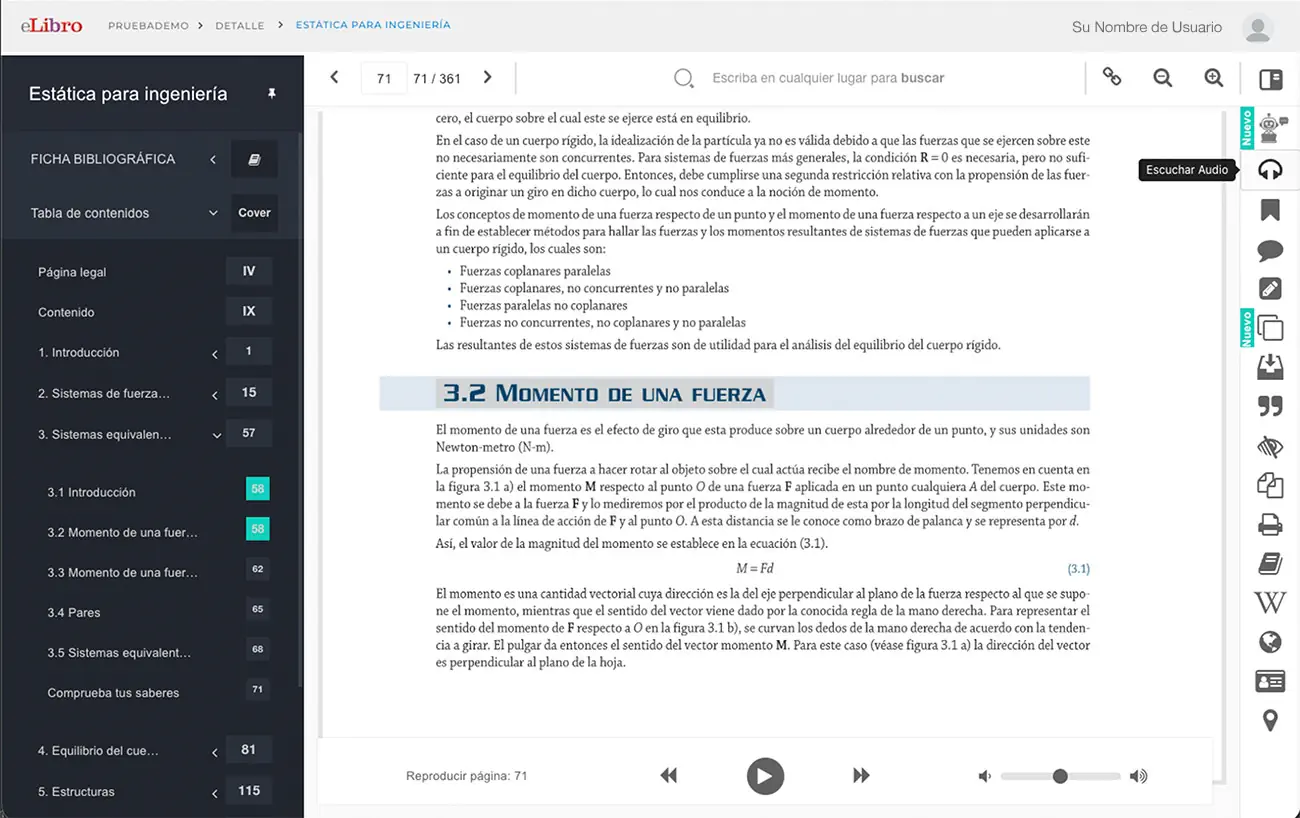
The "Listen Audio" function is an accessibility tool that allows you to listen to the reading of the current page continuously, until paused. This option is ideal for students with auditory learning preferences, for reviewing while doing other activities, or as support for people with visual difficulties, making content more accessible to everyone.
10. Print to PDF for Study and Annotations
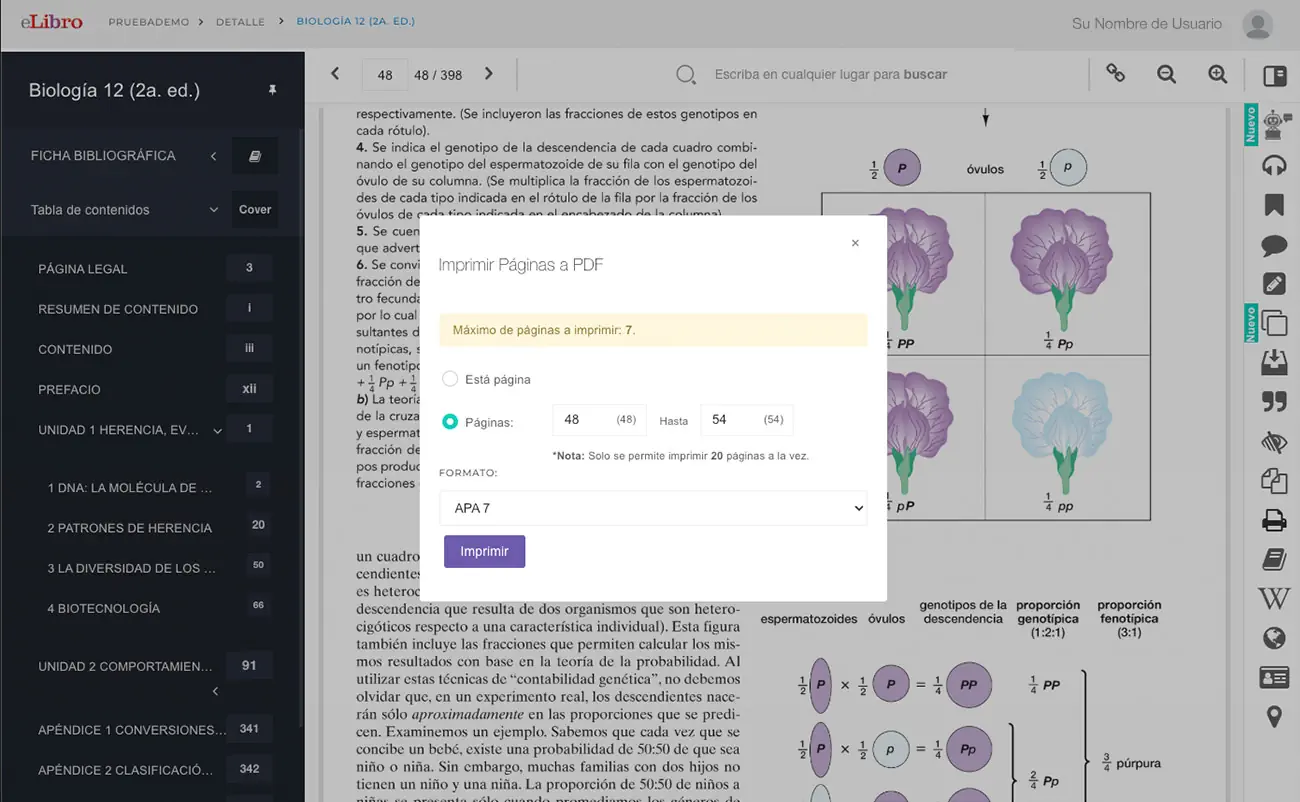
Although printing the complete book is not allowed, the platform allows you to download chapter partials or page ranges as PDF images. Additionally, users can print up to 40% of the total pages of a book in PDF format, selecting specific ranges. This functionality is very useful for creating physical or digital support material that can be annotated by hand, or for studying without constantly depending on a screen, always within the framework of respect for copyright.
1. Comprehensive Administration of User Accounts
As a librarian, you have access to a "users" module that allows you to create accounts individually or in bulk. You can import user lists through a template (CSV), which is very useful for giving access to large groups of students or teachers. You can also manage, block, deactivate, change passwords. Other functions such as deactivating accounts or mass updates are performed through eLibro's Technical Support team.
2. Platform Personalization with Institutional Branding
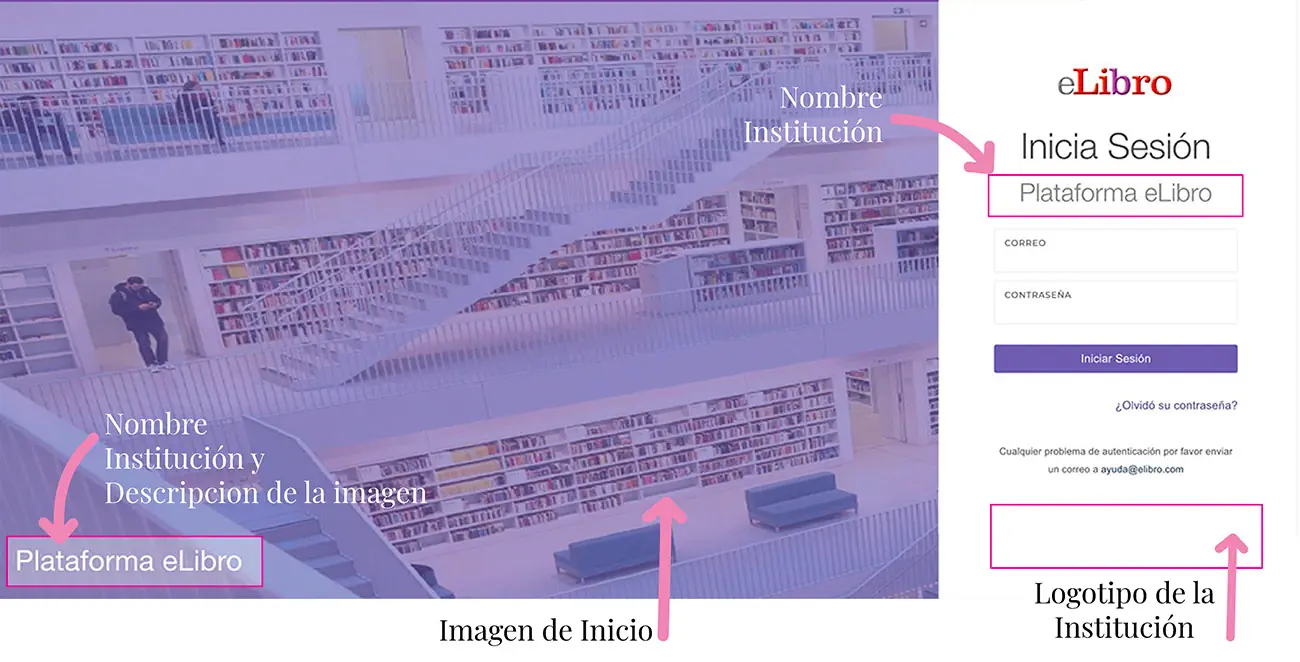
From general settings, you can replace the eLibro logo, the home image and the login image with those of your institution. This allows the platform to visually integrate with the university's identity. You can also modify the channel name.
3. Control of Loan and Download Policies
You have the power to configure the number of days that downloaded book loans last (for example, reduce from 30 to 7 days) and establish a limit on the number of devices on which users can download the eLibro application (the default value is 5).
4. Definition of Allowed Registration Domains
To ensure exclusive access to the university community, you can specify the email domains (e.g. @universidad.edu) that are allowed for account registration. This prevents the use of personal emails and centralizes access control.
5. Content Management and Acquired Collections
You can filter searches by collections subscribed by your institution and directly access individually acquired titles. Additionally, you can download a complete list of all books in the collections in Excel format, which facilitates the creation of specific bibliographies for professors or study areas.
6. Publication and Management of Institutional Events (Calendar)
The platform has a "calendar" module that allows you to create and publish events such as trainings, meetings or important notices. These events are visible to all platform users, serving as an institutional communication channel.
7. Access and Analysis of Detailed Usage Statistics
Reports provide you with usage statistics that detail user behavior, including visits, pages read, text copied, prints and downloads of each title. You can filter these reports by "parent topic" and "subject" to identify usage trends by discipline or career, which is invaluable for collection evaluation and development.
8. Monitoring and Guidance on the eLi Tool (Artificial Intelligence)
Through the "questions by title" module in reports, you can review the queries that users make to eLi and the responses. This information allows you to guide students and professors on how to formulate more precise questions to the AI to obtain better results and make the most of it.
9. Management of Administrator Accounts for the Team
eLibro allows you to designate up to five accounts with full administration permissions for library staff. This facilitates the distribution of management tasks and ensures that there is always trained staff to handle the platform. To request these permissions, you must send an email to eLibro support.
10. Take Advantage of Specialized Support and Training from eLibro
eLibro offers fast and efficient technical support, as well as specific training for librarians. It is essential to contact the eLibro team (sales, training or support) to resolve doubts, stay updated on new features and ensure maximum performance of the platform for the institution.
 Fabián Bogovich
Training Coordinator.
Fabián Bogovich
Training Coordinator.
- User training: for all eLibro platform users: student, teacher, librarian, researcher, etc.
- Librarian training: for librarians who manage eLibro at their institution. They learn to manage user accounts, generate usage reports, make general settings, MARC records, etc.
- Teacher training: Learn to use the platform focusing on tools that allow interaction with students: share folders, create hyperlinks with recommended bibliography, link with virtual campus, etc. Success cases will be presented.
Our Products
A wide selection of academic content grouped by Collections, which are designed to meet the educational objectives of any institution. The same applies to audiovisual material.
Click on the images for more information.