

Questions and Answers
Frequently asked questions and our answers.
In this space we answer some of the most frequently asked questions about eLibro's Innovation and Artificial Intelligence Unit (iIA), or about the courses and services we provide. We have divided them by topic. If you have any other questions, or the answer you are looking for is not satisfactory, please do not hesitate to contact us through the email or links you will find below.
Write to us! Courses Try eLibro!The iIA
The Innovation and Artificial Intelligence Unit (iIA) promotes responsible AI adoption in the eLibro ecosystem and in educational and cultural institutions. Besides open micro-courses, the iIA: (1) implements AI solutions within eLibro to improve the platform and user experience; (2) guides eLibro's transition toward a continuous innovation model; (3) advises libraries, universities and cultural centers to integrate AI into their processes; and (4) offers customized and exclusive courses for institutions.
Write to us at iia@elibro.com with the subject Institutional proposal iIA, indicating objectives, audience, needs and tentative dates.
About the micro-courses
A free 2-hour session, introductory by topic, with a learning certificate upon completing the evaluation.
No. Each topic is independent and does not require previous courses. In some cases, basic tools in the area are recommended (not necessarily AI).
To facilitate time zones and schedules: the same class is taught in two slots: Wednesday 9:00 AM (GMT-5) and Thursday 3:00 PM (GMT-5). You can register for one or both (different links).
Registration and Capacity
1) Go to elibro.com/en/iia.
2) Choose the micro-course.
3) Click the button for your time slot (morning/Wednesday or afternoon/Thursday).
4) The Microsoft Teams registration with local time already converted will open.
5) Complete the form and accept the calendar invitation that arrives by email.
Each form is enabled one week before the micro-course. If you don't see the button or it's disabled, return the week before.
No. You must register separately for each micro-course (and for each time slot if you want to attend both).
Yes. Cancel your registration and re-register for the other slot. Registration links are not interchangeable.
There may be maximum capacity per slot. If one fills up, try the other slot.
No. Due to data regulations, each person must complete their own form in Teams.
Schedule and time zones
Wednesday 9:00 AM (GMT-5) and Thursday 3:00 PM (GMT-5). On the Teams registration page you will see the time converted to your zone before completing data.
| Country / Zone | Wednesday | Thursday |
|---|---|---|
| Colombia, Peru, Panama, Jamaica (GMT-5) | 09:00 | 15:00 |
| Mexico (CDMX), Costa Rica, Guatemala, Honduras, El Salvador, Nicaragua, Belize | 08:00 | 14:00 |
| Ecuador (mainland) | 09:00 | 15:00 |
| Ecuador (Galápagos) | 08:00 | 14:00 |
| Bolivia, Venezuela, Dominican Rep., Puerto Rico | 10:00 | 16:00 |
| Paraguay (winter, GMT-4) | 10:00 | 16:00 |
| Paraguay (summer, GMT-3) | 11:00 | 17:00 |
| Chile (winter, GMT-4 / CLT) | 10:00 | 16:00 |
| Chile (summer, GMT-3 / CLST) | 11:00 | 17:00 |
| Argentina, Uruguay, Brazil (Brasilia) | 11:00 | 17:00 |
| Spain (CEST, summer) | 16:00 | 22:00 |
| Spain (CET, winter) | 15:00 | 21:00 |
Evaluation and Certificate
Currently, no. The condition for certification is completing the evaluation within the deadline.
It opens after the first session of the week and closes 10 days after that class. The link is shared at the end of the session.
Write your name and email exactly as you want them to appear on the diploma; the certificate is generated as per your data.
Between 11 and 15 days after the class. Add iia@elibro.com (invitations) and santiago@elibro.com (certificates) to your contacts to avoid spam.
No. We only reissue if the error was ours.
We do not reopen the evaluation or issue certificates after day 10.
Yes. Soon we will require ≥ 80% correct answers to certify (we will announce with start date).
Micro-course memories (NotebookLM)
The full class transcript, sources and AI artifacts (summaries, maps, questions to sources) in a NotebookLM notebook.
With a free Google account (Gmail or created with your email). Notebooks remain open and are updated in the same link when there are new editions of the topic. There are links to Memories in the sessions table on the main page: elibro.com/en/iia
We do not share recordings. The transcript and materials are in NotebookLM.
Open sessions on social media
Occasionally yes. They are open and do not require registration. At the end of the live session the evaluation is shared for certification. The recording remains public on our social media: Facebook @mundoelibro, Instagram @elibro.oficial, X @eLibro_com, LinkedIn @elibro-oficial, YouTube @eLibroBibliotecaVirtual.
Technical Support Microsoft Teams (Webinar)
1) Install Microsoft Teams (Windows/Mac) and close other video calls.
2) Open the "Join webinar" email.
3) Choose Open Microsoft Teams.
4) In Settings → Devices test Speaker (test call), Microphone and Camera (in Webinar attendee cameras are usually not published).
5) Join now. It's normal to go through lobby and enter muted.
Click Join webinar → Continue on this browser → Allow microphone/camera → ⋯ More → Settings → Devices to choose Speaker and Microphone → Join now. Use updated Edge/Chrome and headphones.
Install Microsoft Teams, open the email link → Open in Teams → Join as guest (name) → Allow microphone. Touch the screen to see controls (Mic, Speaker, ⋯ More, Chat, Q&A if enabled).
Turn up the system volume. In Teams, open ⋯ More → Settings → Devices and change Speaker (make test call). On Windows/macOS verify the output device. In browser, allow Sound/Microphone (padlock icon) and check that the tab is not muted.
In Webinar attendees are usually muted by design. Use Chat or Q&A. If you are named speaker, choose the correct Microphone in Devices and unmute.
It's normal in Webinar: attendee cameras are not published. If you will be a presenter, check system permissions and activate it.
Maximize the window or open the Presentation/Content tab. If it stays "loading", exit and enter, close other video calls, change network or use the app.
They may be disabled by the organizer. On desktop look for 💬 or ❓; if they don't appear, open ⋯ More. On mobile: ⋯ More → Chat/Q&A.
Use the latest email and verify the time slot. Paste the link in a new tab or try incognito mode. If you see "Event hasn't started", wait for the exact time. If it says "Capacity full", try the other slot. If your network blocks it, use mobile data or the app.
It's normal. Keep the window open until the host admits you.
Close apps that use camera or bandwidth, get closer to the router or use Ethernet cable; try another network or disable VPN.
Check Spam and search for "Microsoft Teams", "Teams Webinar" or the micro-course title. If it doesn't appear, register again at elibro.com/en/iia.
Privacy and personal data
To manage your registration, send invitations/reminders, control attendance and issue the certificate. In the form you will see the corresponding consent.
In NotebookLM (Google), which has its own terms and policies. By accessing you accept those conditions.
For institutions (customization and consulting)
Yes. We design customized programs (topics, level, schedules, modality) for library, teaching or management teams.
Write to iia@elibro.com indicating objectives, audience, technological needs, dates and whether you want certification.
Your Library. Your Evolution.
Our Products
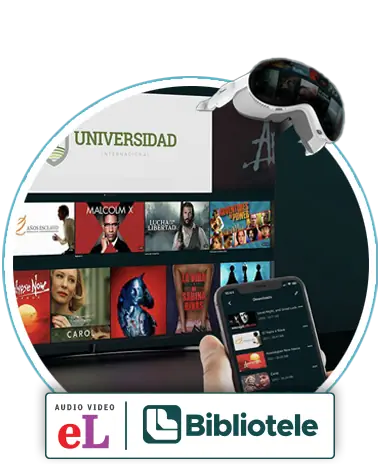
A wide selection of academic content grouped by Collections, which are designed to meet the educational objectives of any institution. The same applies to audiovisual material.
Click on the images for more information.


Title Search
Discover part of our catalog. Full access is available to institutions and subscribed users.
Search by: Title, Author, Publisher, etc.
Some publications may have geographic restrictions according to each publisher’s policies.
Some titles about AI in our library